
MCP Warp
Give your local MCP servers a public, OAuth-protected URL
Like ngrok, but built for MCP. A short setup, then one command, and Claude, ChatGPT and any Streamable HTTP MCP client can securely reach the MCP servers on your machine.

Four steps to a public URL
Install
brew tap mcpwarp/tap
brew trust --tap mcpwarp/tap
brew install --cask mcpwarpLog in
mcpwarp loginAdd a server
~/.mcpwarp/config.json
{
  "servers": [
    {
      "name": "notes",
      "kind": "http",
      "url": "http://127.0.0.1:8765/mcp"
    }
  ]
}Go
mcpwarp up

NAME     KIND   URL
notes    http   https://notes-anatoly.tunnel.mcpwarp.io/mcp
First time? Sign in once at web.mcpwarp.io to pick your username before running mcpwarp up.
Windows and Linux packages: see the install guide.

Everything you need to expose an MCP server
OAuth built in
Every public URL is protected by OAuth. No anonymous access, no shared secrets to leak.
stdio and HTTP servers
Expose a spawned stdio process or an already-running Streamable HTTP MCP server, same command.
One URL per server
Each server gets its own subdomain, so OAuth credential caches in your clients never collide.
Built for standard MCP clients
Built for Claude, ChatGPT, VS Code and any Streamable HTTP MCP client.
Streaming end-to-end
Requests flow through with backpressure, from your LLM client to your local server and back.
Dashboard
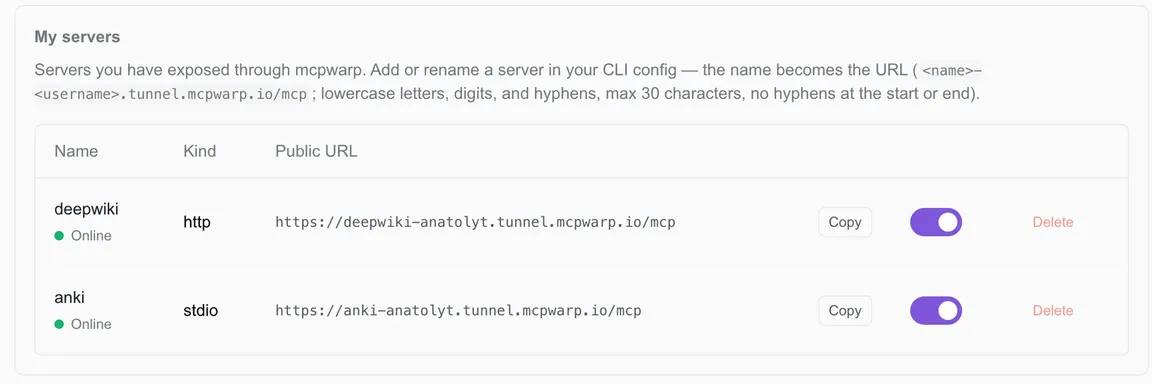
See every server, its usage, and your plan at web.mcpwarp.io. Enable or disable at will.
How it works
- Your MCP client sends a request to your server's public URL.
- The tunnel edge verifies the OAuth token and checks that you own the server.
- The request is forwarded over a persistent connection to
mcpwarp upon your machine. mcpwarpforwards it to your local MCP server, stdio or HTTP, and streams the response back.